
Key takeaways
- Let the room pick the family: quartz for kitchens and locker rooms, solid color and flake for shops, metallic for showrooms.
- Your estimator photographs the floor at the site walk, or the owner uploads one on your website. Each preview takes about 15 seconds.
- A preview link and a short walkthrough clip put every decision maker in front of the same picture.
- Flake, metallic, quartz and solid color render today. Polished concrete does not, yet.
- Several locations or a franchise? Each account has its own catalog, company name, brand color and quote page.
Before the bid
What a commercial floor coating visualizer does for your bid
It puts your finish on their floor before your number goes in.
A facility manager has seen plenty of gray chips and spec sheets. What they have not seen is your quartz blend across their own kitchen line, or your gray on their own service bays with the lifts still in the shot. Settle the color early, and the walk-through can be about prep, drains and schedule.
It is a concrete floor visualizer for contractors: it shows the coating products you install, from a catalog our team builds from your color charts, with no setup fee. Until yours is ready, the default catalog shows. Here is how the floor visualizer works, from photo to quote button.
01
Photograph the floor at the site walk.
Open your visualizer on a phone or tablet and shoot the kitchen line, the shop bay or the sales floor. Or the owner uploads a photo on your website before you visit.
02
Show two or three finishes on it.
Each one renders on the same photo in about 15 seconds. With Compare view on, two to four previews line up side by side.
03
Send the pick to whoever signs off.
Forward the preview link, or film a short walkthrough clip of it. The quote button opens your own quote or booking page.


Match the finish to the room
Which coating to preview in which commercial space
The room usually picks the family. The client picks the color.
On a coated commercial floor, the space usually narrows the family before anyone opens a chart. Show the family that fits, then two or three colors in it.
| Space | Families to preview | What the client is choosing | What you settle on site |
|---|---|---|---|
| Commercial kitchens and food prep | Broadcast quartz | A blend that sits with the stainless and the wall tile | Texture profile, cove base, drains and slope |
| Locker rooms and restrooms | Broadcast quartz | A blend beside the lockers, benches and walls | Texture for wet, barefoot traffic |
| Auto shops, service bays and warehouses | Solid color or flake | A gray that reads clean under shop lights, or a flake that hides dirt | Hot tire and chemical exposure, safety striping |
| Retail floors, lobbies and showrooms | Metallic or solid color | Movement and gloss across the floor customers walk on | Slip resistance at the entries, the cleaning routine |
Only families that render today are listed. Polished concrete is not one of them yet.
Commercial kitchens and locker rooms: broadcast quartz
Quartz is chosen for grip and wear, but the owner still lives with the color every day. Two warm blends a shade apart on a chart look plainly different across a whole kitchen, next to the stainless. See the broadcast quartz floor visualizer.
Shops, service bays and warehouses: solid color and flake
A shop owner wants a floor that looks clean under the lights and hides tire marks. Put two grays from your solid color epoxy chart next to a flake broadcast on their own bay, and the choice can happen on that visit, not a second one.
Retail floors and showrooms: metallic
Metallic sells on movement and gloss, and a sample board shows neither across a sales floor. On a photo of the showroom, the owner sees what customers will walk across. Every pour moves its own way, so say so at the bid: the metallic epoxy visualizer page covers what a preview can promise.
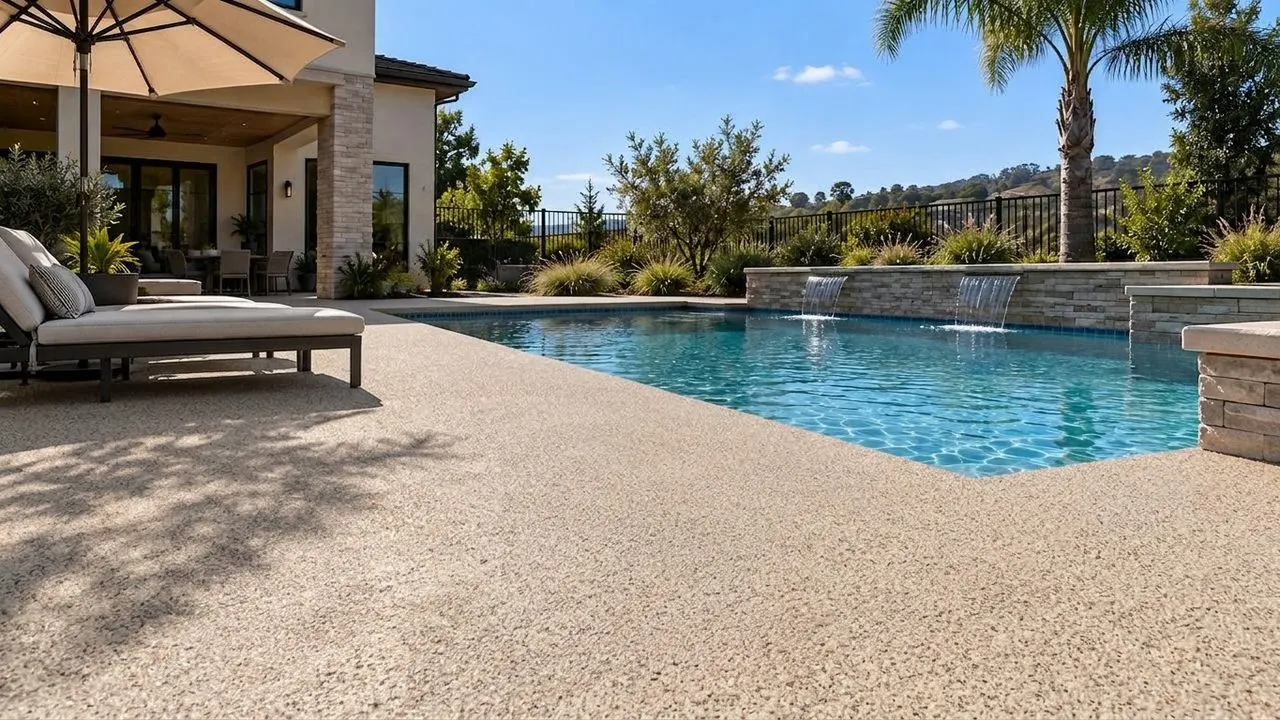
Broadcast quartz, Mojave, on the demo pool deck. An illustrative AI preview, not a photo of an installed floor. 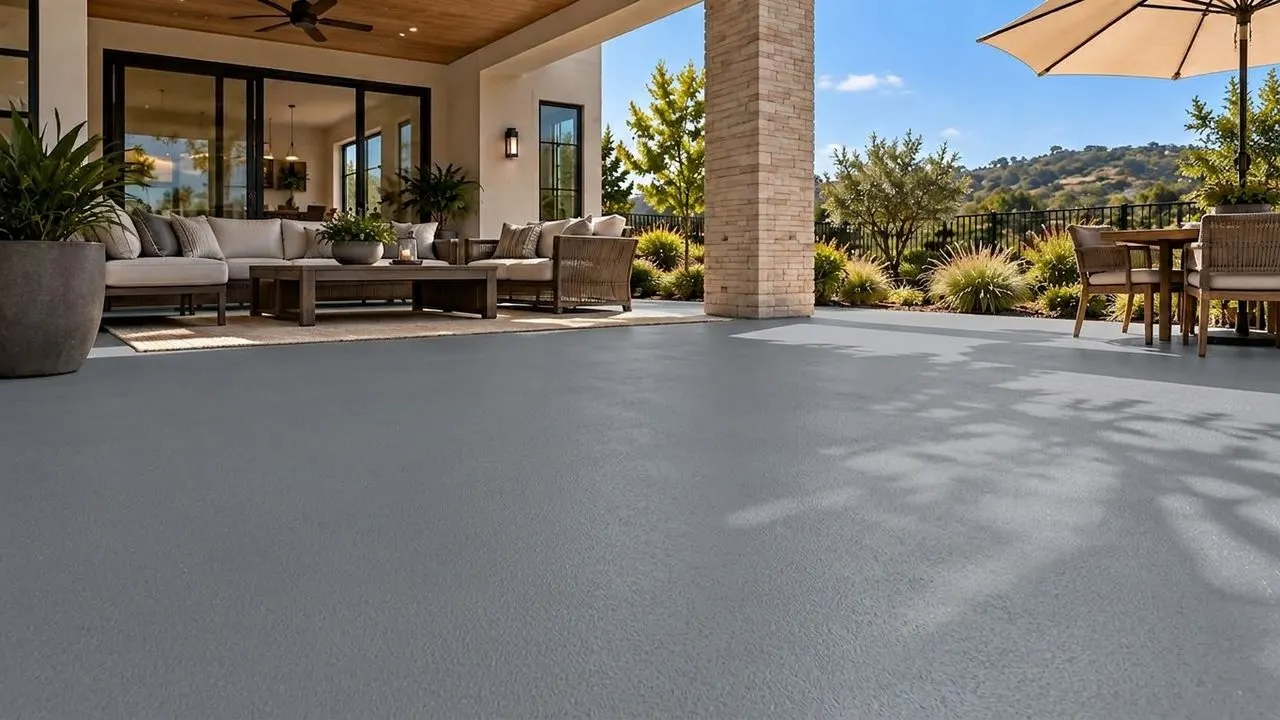
Solid color, Steel Gray, on the demo patio. An illustrative AI preview, not a photo of an installed floor. 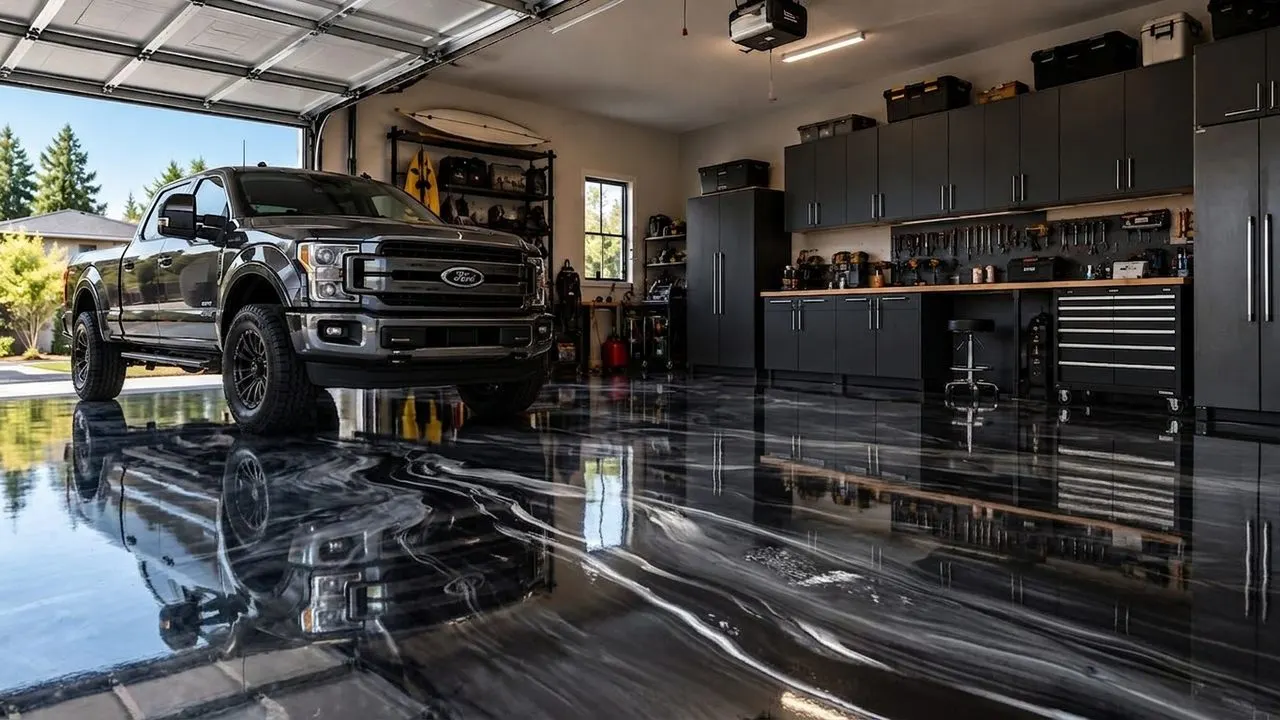
Metallic, Black/Grey/White, in the demo garage. An illustrative AI preview, not a photo of an installed floor.


These are the widget's built-in demo rooms: a garage, a patio and a pool deck. There is no commercial demo room, so on a commercial job the preview starts from your photo of the facility.
Getting to yes
When several people sign off on one floor
Give every decision maker the same picture.
A commercial floor coating visualizer gives everyone who signs off the same floor in the same finish. That matters because the person who walked the site with you is often not the one who approves it: the owner, the general manager, a regional facilities lead or the landlord may each need to see it.
One link, one picture.
The preview stays at a link the client can forward, so whoever missed the walk-through sees the real floor in your finish.
The shortlist, side by side.
With Compare view on, two to four previews of the same floor line up together. Bring the shortlist to the meeting, not the chart.
A walkthrough clip for whoever never visits.
Any finished preview can become a short walkthrough video of that floor. Starter films 5 clips a month at 3 seconds each, Pro films 35 at 5 seconds, and each takes a few minutes.
How the walkthrough video works
Straight answers
Can it show polished concrete? Not yet.
No. Polished concrete does not render yet, and there is no date for it. Flake, metallic, quartz and solid color render today, on both plans and in the trial.
Sell polish too? Show the coatings in the visualizer and the polish with your own job photos and a sample. If polish is a big share of your work, tell us: what contractors ask for moves up the list. Coating garages and patios as well? See the concrete coating visualizer.
What it does on a commercial job
- Your finish on a photo of the real floor, in about 15 seconds
- Flake, metallic, quartz and solid color, built around the products you install
- Two to four previews of one floor side by side
- Your company name and brand color, with no CoatFlow branding in the widget
What it does not do
- Polished concrete, for now
- Slip ratings, chemical resistance or thickness: those live in your spec
- Proposals or pricing: the quote button opens your own quote or booking page
- A whole building in one shot: each preview is one photo, so shoot each area you bid
Several locations
Running several locations or a franchise system
It works for both: each location can show its own products under its own name.
Each CoatFlow account has its own catalog, company name, brand color, quote page and embed. So a company with several locations can run one for each: that location's products, under its name, sending requests to its own quote page.
One account can also run on more than one web address: list each under Authorized websites. The install guide covers WordPress, Squarespace, Webflow, Wix and plain HTML.
Rolling it out across a franchise system or a group of locations? Tell us how your locations sell and we will work out the setup with you. Want every lead followed up, not just the visualizer's? That is the Growth OS, quoted after a short conversation.
What it costs
What the commercial epoxy floor visualizer costs
Two plans, billed monthly or yearly at 20% off, the same widget and install on both.
Starter is $99 a month with 300 photo credits and 5 walkthrough clips of 3 seconds. Pro is $149 a month with 600 photo credits and 35 clips of 5 seconds. On Pro, our team sets up and runs lead follow-up for you on GoHighLevel: texts and emails that chase every visualizer lead to a booked estimate.
Previews your estimators make at a site walk use photo credits too. If a busy month runs over, top-up packs are in your account.
Paying yearly? Starter is $79 a month and Pro $119 a month, billed once a year ($948 and $1,428): 20% off. Ask our team to set it up.
Starter
$99 a month
$79 a month(instead of $99 a month)
The visualizer on your website, with walkthrough video.
Start your 7-day trial of Starter7 days free, then $99 a month.
Ask for Starter yearly$948 billed once a year: you save $240. Our team sets up yearly billing for you.
Or start the 7-day trial, billed monthly- 300 photo credits a month
- 5 walkthrough video clips a month, 3 seconds each
- Your finish catalog, built from your color charts: flake, metallic, quartz and solid color
- On your website with one script tag
- White-labeled: your company name and brand color, no CoatFlow branding in the widget
- Photo top-up packs when a month runs over
Pro
More video, plus follow-up
$149 a month
$119 a month(instead of $149 a month)
More video, longer clips, and follow-up our team runs for you.
Start your 7-day trial of Pro7 days free, then $149 a month.
Ask for Pro yearly$1,428 billed once a year: you save $360. Our team sets up yearly billing for you.
Or start the 7-day trial, billed monthly- 600 photo credits a month
- 35 walkthrough video clips a month, 5 seconds each
- Photo and clip top-up packs
- Lead follow-up by text and email, set up and run for you by our team, that chases every lead to a booked estimate
- Everything else in Starter
Try it on a floor you are bidding
Upload a photo of a kitchen, shop or showroom floor you are quoting, or start on the demo garage, patio or pool deck.