
Key takeaways
- A chip a few inches across cannot show a whole garage slab. A preview on the homeowner's own photo can.
- Homeowners photograph their garage on your website, see your finish on it in about 15 seconds, and can film a short walkthrough clip of it.
- No photo yet? The built-in demo garage, with a pickup truck parked in it, previews every finish.
- The best garage photo: door open, lights on, shot from the doorway at chest height, floor swept.
- The preview settles the color. Your estimate visit still settles prep, cracks, moisture and price.
- Starter is $99 a month and Pro $149, after a 7-day free trial.
Why garages
Why garage floor coatings sell on color
A garage coating sells on color because the homeowner is choosing how the whole slab will look every time the door goes up, and a chip a few inches across cannot show that. Prep, system and price you can settle in one visit. The color is the decision that drags.
Scale is the trouble. A blend that looks busy in your hand can read as a quiet gray across a two-car slab, and a warm chip can turn darker under a row of ceiling tubes. The homeowner also has to picture it beside their own cabinets, walls and car.
- The whole slab, not a chip. The preview lays the finish edge to edge across their own garage, in the light of their own photo.
- Both decision makers see it. Whoever missed the estimate sees the same garage in the same finish, not a description of a chip.
The chip board still has a job: touch, true color in daylight and the final spec. Here is when to bring the chip board and when to show the preview.
Photo to quote
How the garage floor coating visualizer works
Five steps, all on your website, on the phone already in their hand.
01
They photograph the garage.
Right on your website: JPG, PNG or HEIC up to 10 MB, straight off a phone. There is no app to download.
02
They pick one of your finishes.
Flake blends, metallics and solid colors (quartz too), from a catalog our team builds around the products you install, from your color charts.
03
The slab changes in about 15 seconds.
The whole floor, edge to edge, with their walls, cabinets and car left as they are. They try another finish on the same photo, or, with Compare view on, line up two to four side by side.
04
One tap films a walkthrough.
Any finished preview can become a short AI walkthrough clip of their garage. It takes a few minutes to film, and the widget says so while it works.
05
Your quote button takes it from there.
It opens your own quote or booking page, in Housecall Pro, Jobber or whatever you already use. Or we set up a quote form in the widget that sends the request, with their garage photo and previews, to your inbox or GoHighLevel.
The garage floor visualizer installs with one script tag on WordPress, Squarespace, Webflow or plain HTML, and on Wix through a custom element: see how to add the visualizer to your website. It is white-labeled: your company name and brand color, with no CoatFlow branding in the widget. The step-by-step film of how it works shows the whole flow.
No photo yet
The built-in garage demo room, truck and all
No photo yet? 3 built-in demo rooms (a garage, a patio and a pool deck) preview every finish right away. So a homeowner browsing your site from work, nowhere near the garage, can still try your finishes.
It is a wide garage with the roll-up door open to daylight and trees, a dark pickup truck parked by the door on the left, and black cabinets, a workbench and a wall of tools along the right. The bare slab has oil stains and a crack. Every preview keeps the truck, the cabinets and the light, and in the metallic previews the truck even reflects in the gloss.


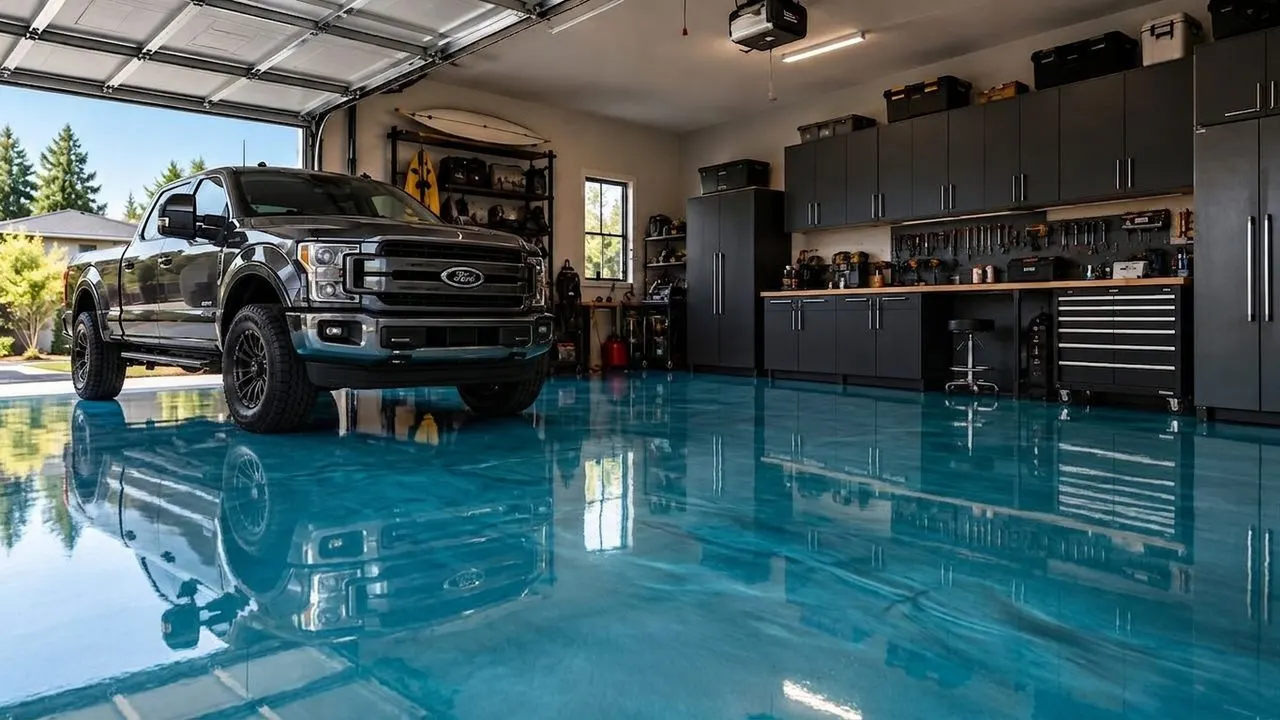
Blue Mist metallic. An AI preview, not an installed floor. 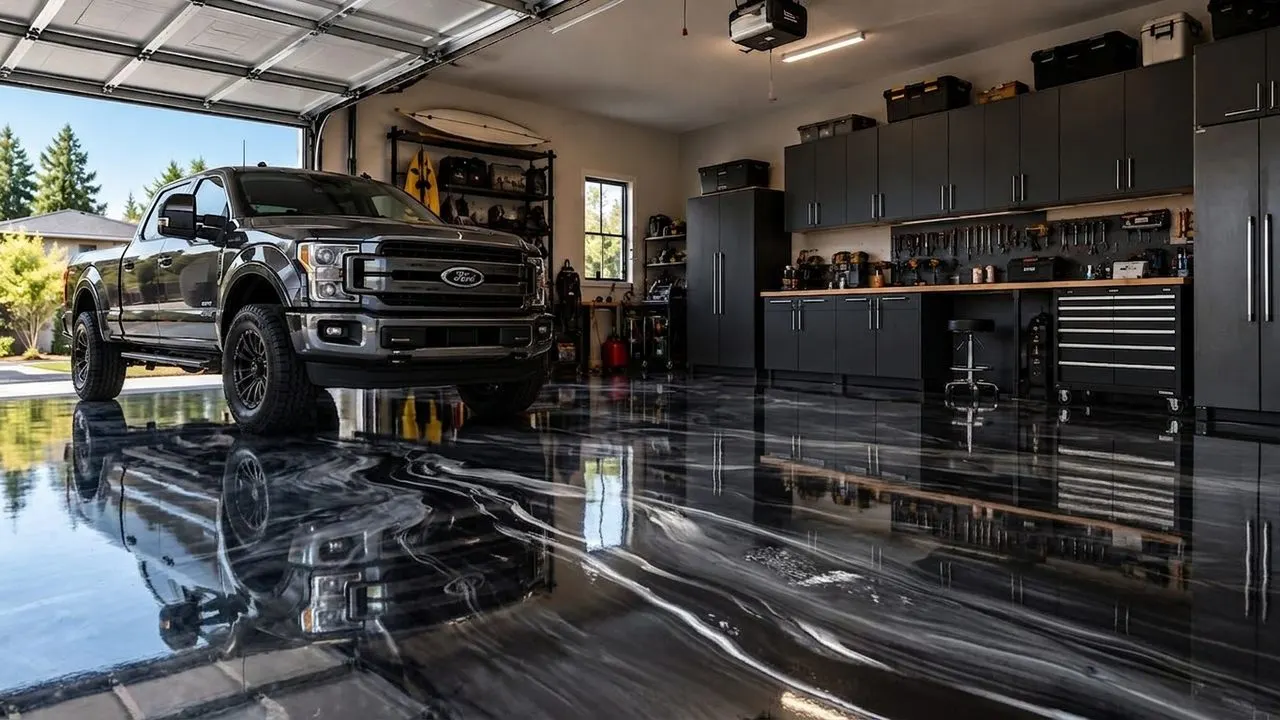
Black/Grey/White metallic. An AI preview, not an installed floor. 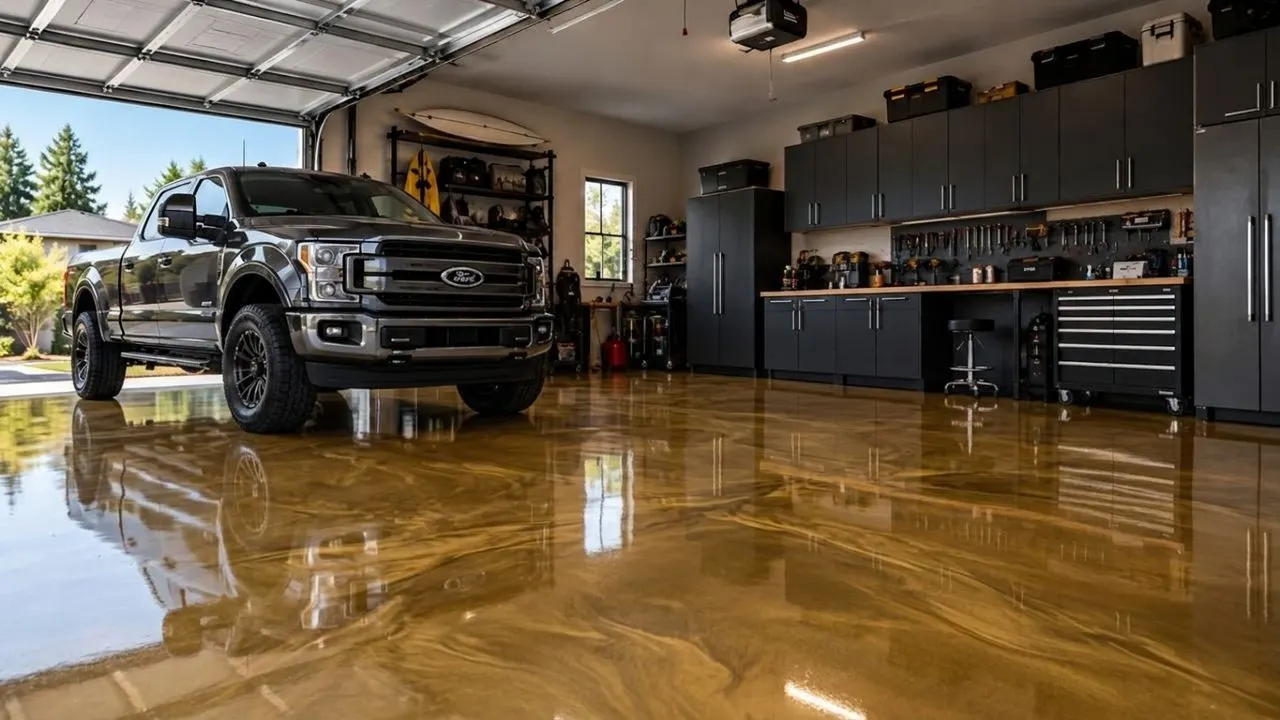
Antique Gold metallic. An AI preview, not an installed floor.


Flake blends and solid colors preview on the same garage. The metallic epoxy visualizer shows the metallic colors in the default catalog, and the outdoor rooms have a page of their own for patios and pool decks.
Photo tips
How to photograph a garage floor for the preview
Door open, lights on, from the doorway at chest height, floor swept. The preview starts from the photo, so a good photo makes a good preview.
01
Open the door and turn the lights on.
Daylight from the door plus the ceiling lights gives an evenly lit slab. Skip the flash: it can leave a bright spot in the middle of the floor.
02
Stand in the doorway at chest height.
Hold the phone level and tilt it a little down, so the floor fills most of the frame with the back wall at the top. No zoom: the wide lens gets the whole slab in.
03
Sweep, and move what moves.
The preview keeps what is in the photo. A storage bin on the floor stays a storage bin, and the slab under it stays hidden. Clear bins, mats and bikes, then give it a quick sweep.
04
Car in or car out.
Out shows the whole slab. In shows the floor with what they actually park on it. Two photos, two previews: both help.
05
Leave the stains to you.
Oil spots and cracks usually disappear under the preview, the way they would under a coating. They still belong on your quote, so the repair and the prep get priced at the visit.
Flake, metallic, solid, one-day
Which garage coatings do homeowners compare?
Usually four looks: full broadcast flake, metallic, solid color and the one-day polyaspartic floor. All of them preview on the same photo.
Full broadcast flake
The everyday garage floor: chips broadcast to full coverage under a clear topcoat. Gravel, Shoreline, Domino and Nightfall are in the default catalog, and here is how to help a homeowner narrow down flake colors.
Flake blends on the epoxy flake visualizerMetallic epoxy
The showpiece garage. A homeowner weighing it against flake wants to see it on their own slab before saying yes. Every pour moves its own way, so the preview shows the kind of movement, not where the veins land.
Metallic colors on a real garageSolid color
The clean shop look: one color, wall to wall. Charcoal, Steel Gray, Silver Gray and Pewter look alike as small swatches. Across a whole slab the difference shows, and the preview settles which gray.
The solid color epoxy visualizerOne-day polyaspartic
Usually a flake or solid look, sold on speed. The preview shows the look on top, not the chemistry or the cure time, and it gets the blend settled before you order the flake.
Selling the one-day garage floor
The sale
Where the garage floor visualizer fits the estimate visit
Before the visit it builds the shortlist, at the visit it settles the tie, and after the visit it keeps the quote moving.
01
Before you book: they shortlist.
They narrow your catalog to two or three finishes on their own garage. Ask which ones when they book, and load those chips in the truck.
02
In the driveway: you confirm.
Hold the real chips beside the slab in daylight while you check for moisture, cracks and old coatings. Still torn between two? Open your own site on your phone, photograph the garage yourself and run both on their slab.
03
On the quote: the finish is named.
The finish they picked goes on the signed quote, so the right flake is ordered and on the truck on install day.
04
After the visit: the clip does the talking.
The homeowner saves the walkthrough clip to their phone and texts it to whoever was not home. The spouse at work sees the same garage that night.
The visualizer settles the color. What happens after the quote matters as much. On Pro, our team sets up and runs lead follow-up for you on GoHighLevel: texts and emails that chase every visualizer lead to a booked estimate. More in how to sell epoxy floors before the estimate visit.
Pricing
What a garage floor visualizer costs
Two plans, monthly or yearly at 20% off: Starter at $99 a month and Pro at $149, after a 7-day free trial with 50 photo credits and 2 video credits. Your card goes on file at signup; cancel before day 7 and you pay nothing. A photo credit is one preview, and a video credit is one walkthrough clip.
Paying yearly? Starter is $79 a month and Pro $119 a month, billed once a year ($948 and $1,428): 20% off. Ask our team to set it up.
Starter
$99 a month
$79 a month(instead of $99 a month)
The visualizer on your website, with walkthrough video.
Start your 7-day trial of Starter7 days free, then $99 a month.
Ask for Starter yearly$948 billed once a year: you save $240. Our team sets up yearly billing for you.
Or start the 7-day trial, billed monthly- 300 photo credits a month
- 5 walkthrough video clips a month, 3 seconds each
- Your finish catalog, built from your color charts: flake, metallic, quartz and solid color
- On your website with one script tag
- White-labeled: your company name and brand color, no CoatFlow branding in the widget
- Photo top-up packs when a month runs over
Pro
More video, plus follow-up
$149 a month
$119 a month(instead of $149 a month)
More video, longer clips, and follow-up our team runs for you.
Start your 7-day trial of Pro7 days free, then $149 a month.
Ask for Pro yearly$1,428 billed once a year: you save $360. Our team sets up yearly billing for you.
Or start the 7-day trial, billed monthly- 600 photo credits a month
- 35 walkthrough video clips a month, 5 seconds each
- Photo and clip top-up packs
- Lead follow-up by text and email, set up and run for you by our team, that chases every lead to a booked estimate
- Everything else in Starter
Your catalog is built around the products you install: send us your color charts and our team sets it up, with no setup fee. Until then, your account shows the default catalog in flake, metallic, quartz and solid color.
Try it on a garage photo
Photograph a garage, yours or a customer's, and run your best-selling blend on it. Or start on the demo garage, truck and all.