
Key takeaways
- Every after image on this page is an AI preview from the CoatFlow Floor Visualizer, not a photo of an installed floor.
- The before images are the widget's built-in demo rooms. On your website, a homeowner's own phone photo gets a live preview in about 15 seconds.
- Only the slab changes: the truck, the patio furniture and the pool stay where they were.
- Flake, metallic, quartz and solid color all render today. Polished concrete does not render yet.
- Your own catalog is built from your color charts by our team, so your visitors preview the products you install.
Before and after
Epoxy floor visualizer examples, before and after
One room per pair: the bare slab first, then the preview.
Each pair below is a demo room from the widget, then the same room previewed in one finish. A homeowner on your website gets the same kind of preview from a phone photo of their own slab, about 15 seconds after they tap a finish. Want the room-by-room pages? See the patio and pool deck coating visualizer and the garage floor coating visualizer.


Look at what stays put. The truck, the sofas, the umbrella and the water all hold still, and the dappled shade on the patio stays on the new floor. Only the slab changes. On a homeowner's photo, that means they judge the finish against their own walls and furniture, not a showroom.
Look at what goes, too. The oil stains and the crack in the garage slab are gone in the preview, and on the pool deck the finish runs over the coping to the water. Prep, crack repair and where the coating stops are still your call at the estimate.
Epoxy flake
Flake floor examples on a patio, a pool deck and a garage
The same blend reads differently from room to room. Shoreline looks warm and sandy outdoors; Domino looks crisp next to dark garage cabinets. The epoxy flake floor visualizer page covers how flake previews work, and the same blends sell a one-day polyaspartic garage floor.
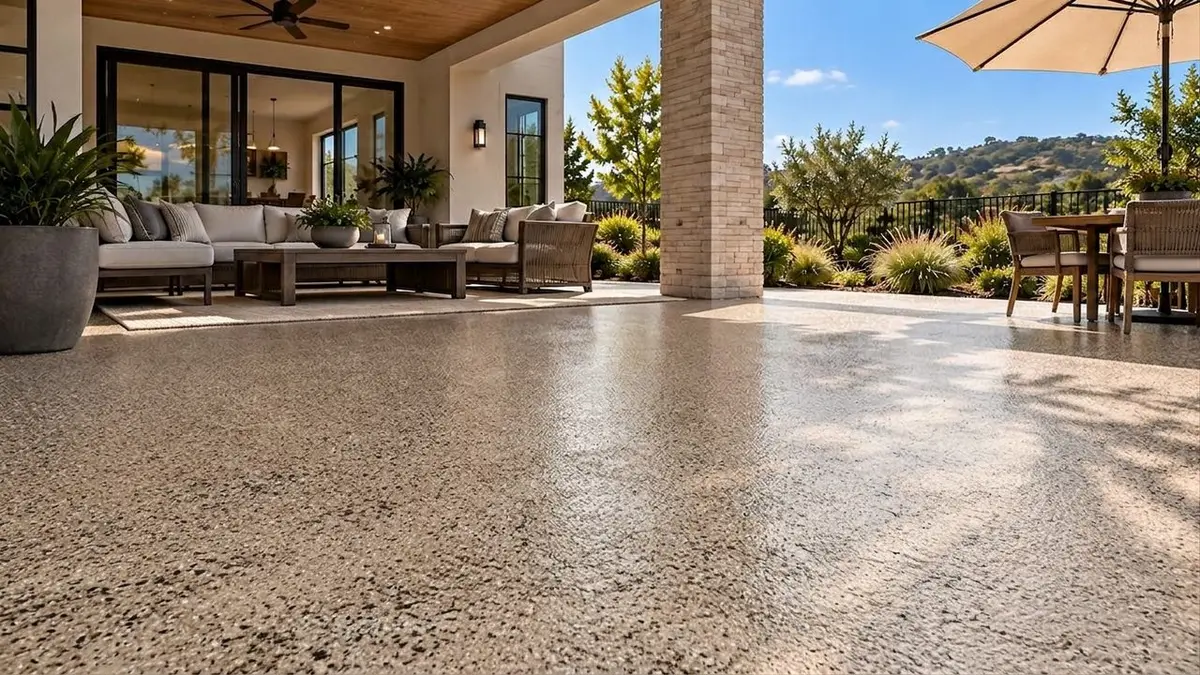
Shoreline flake on the demo patio. An AI preview, not a photo of an installed floor. 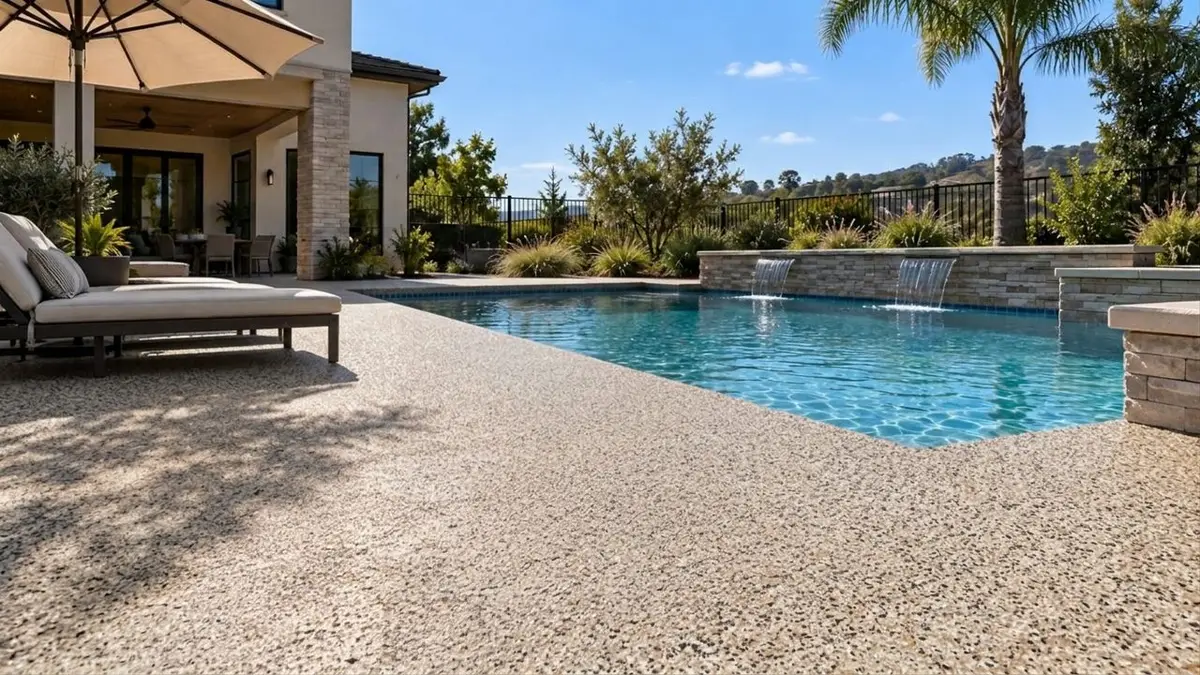
Shoreline flake on the demo pool deck. An AI preview, not a photo of an installed floor. 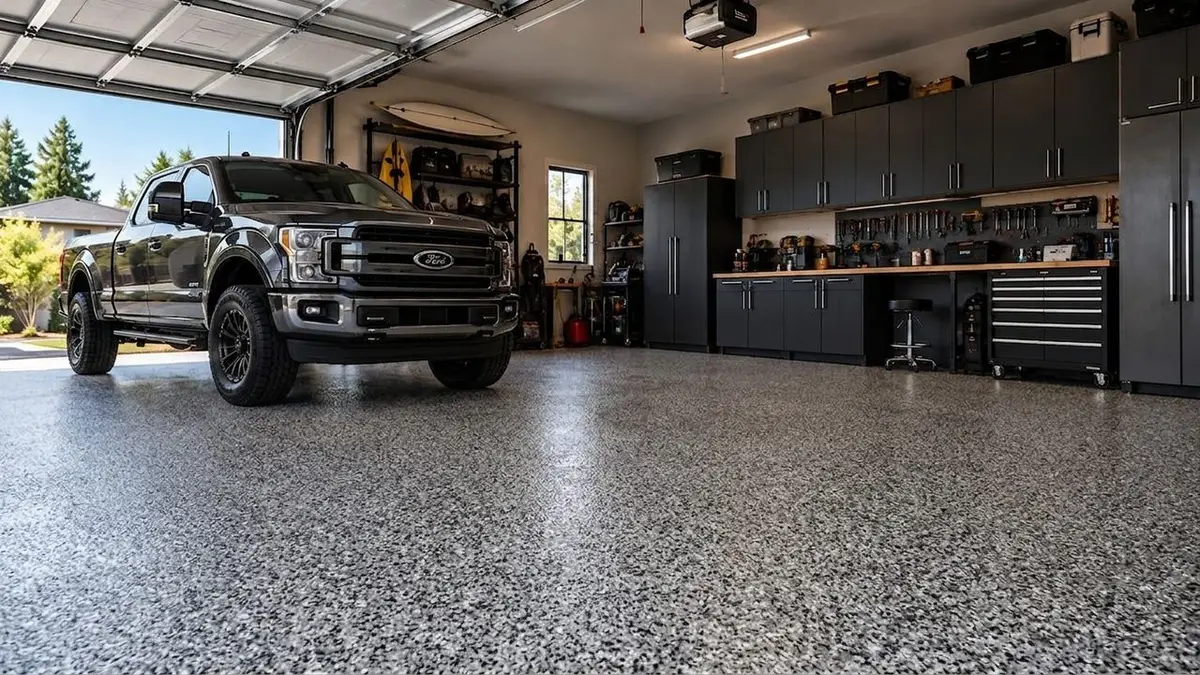
Domino flake in the demo garage. An AI preview, not a photo of an installed floor.


Metallic epoxy
Metallic epoxy examples in the demo garage
Metallic sells on movement and shine, and a sample board shows a few inches of each. The same garage in Copper, Black/Grey/White and Antique Gold shows them across the whole floor, with the truck and cabinets reflected in it. More on the metallic epoxy visualizer.
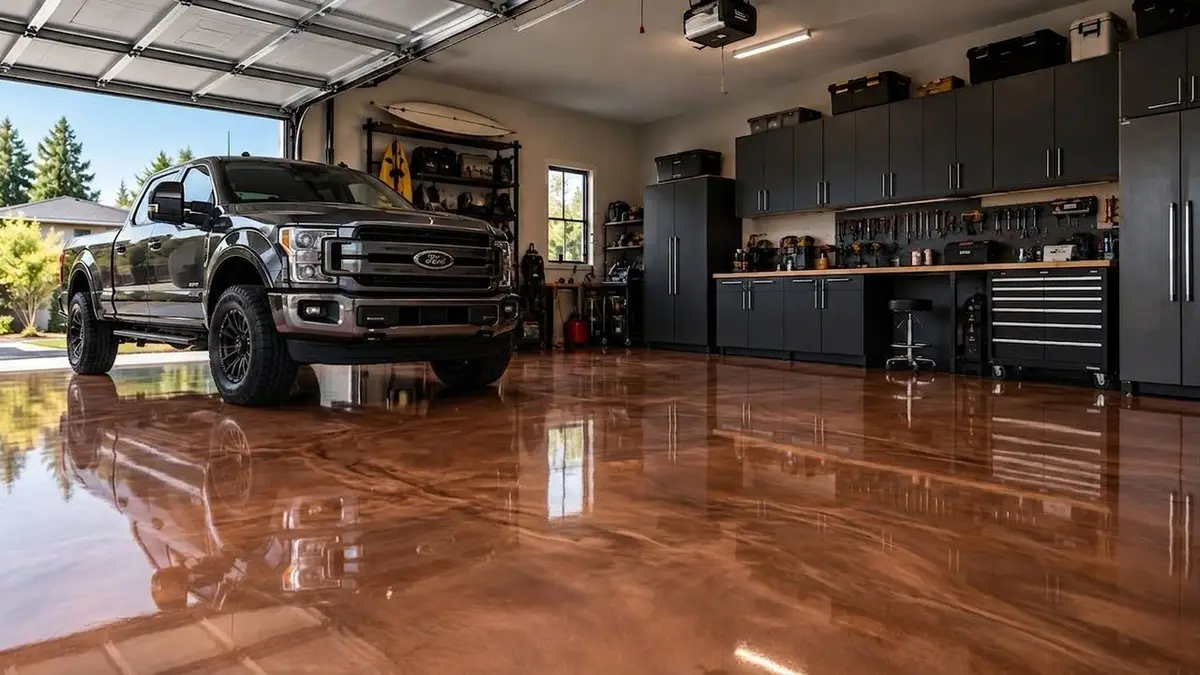
Copper metallic in the demo garage. An AI preview, not a photo of an installed floor. 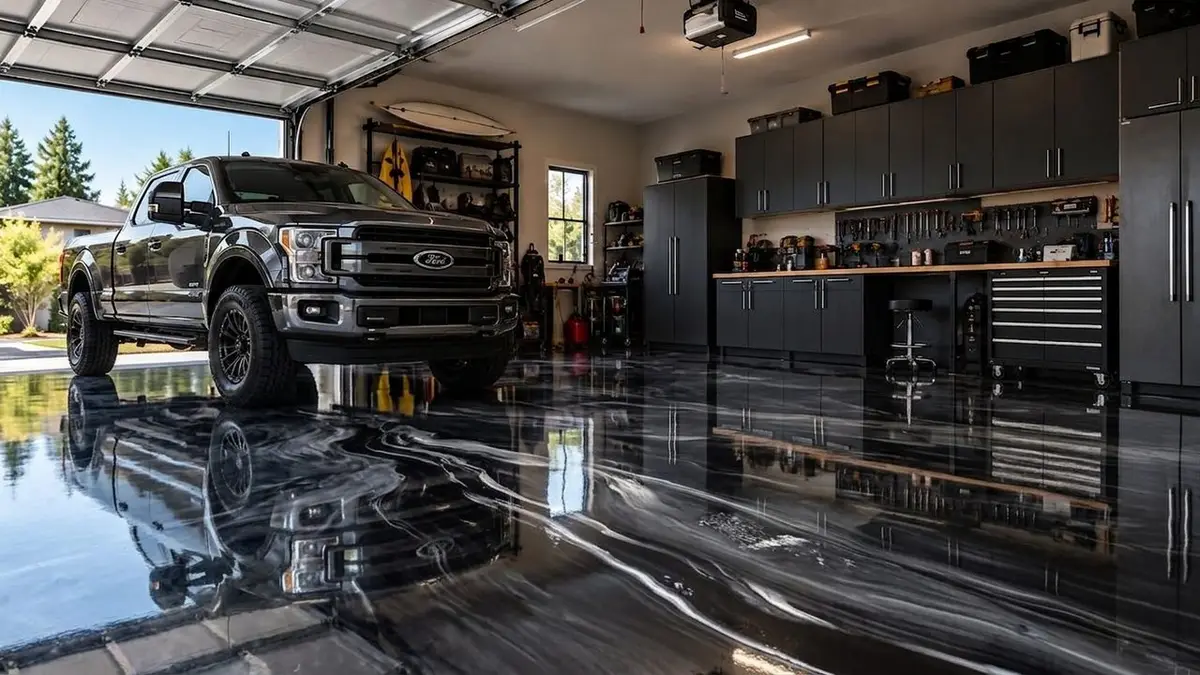
Black/Grey/White metallic in the demo garage. An AI preview, not a photo of an installed floor. 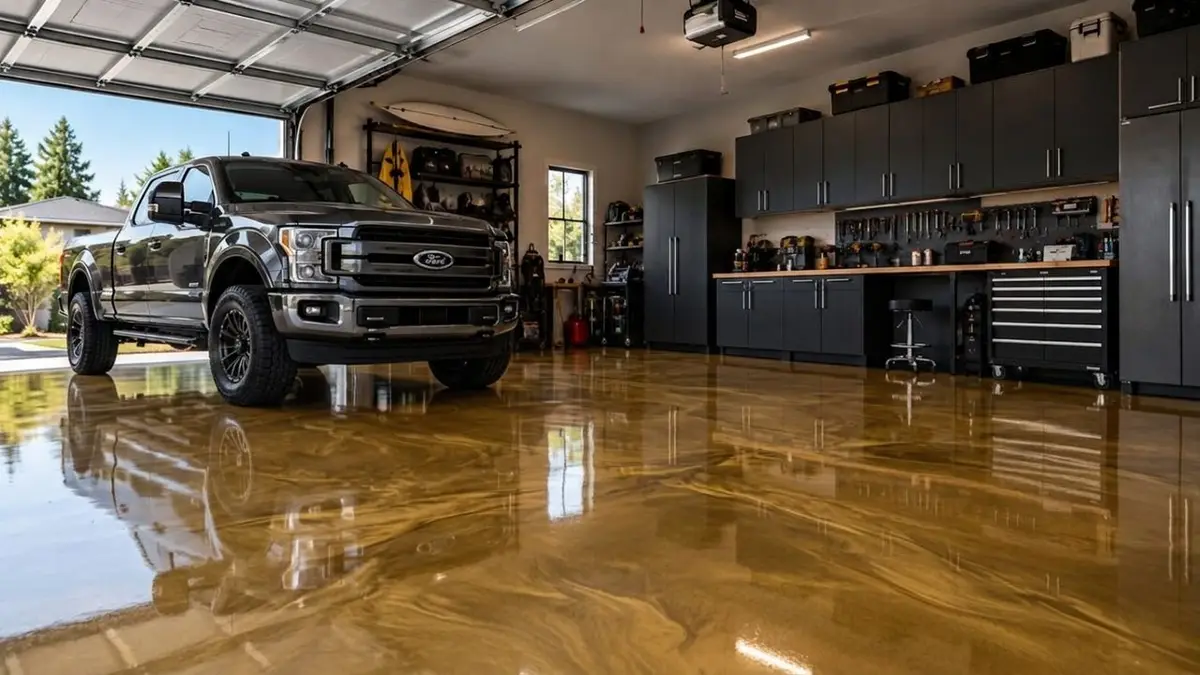
Antique Gold metallic in the demo garage. An AI preview, not a photo of an installed floor.


Broadcast quartz
Broadcast quartz examples for pool decks and garages
A quartz preview shows the color of the broadcast across the whole deck, which a small sample cannot. Slate reads cool and gray beside the water; Mojave reads warm and sandy, closer to the stucco. Flint shows a darker blend under a truck. See the broadcast quartz floor visualizer.
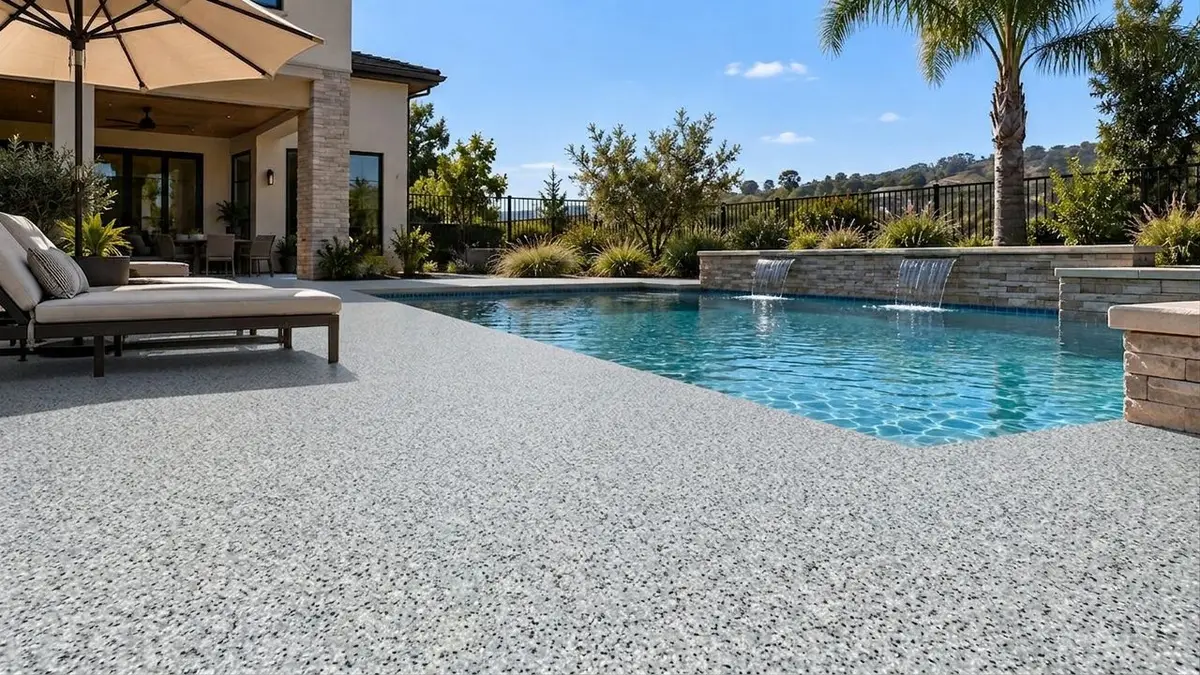
Slate quartz on the demo pool deck. An AI preview, not a photo of an installed floor. 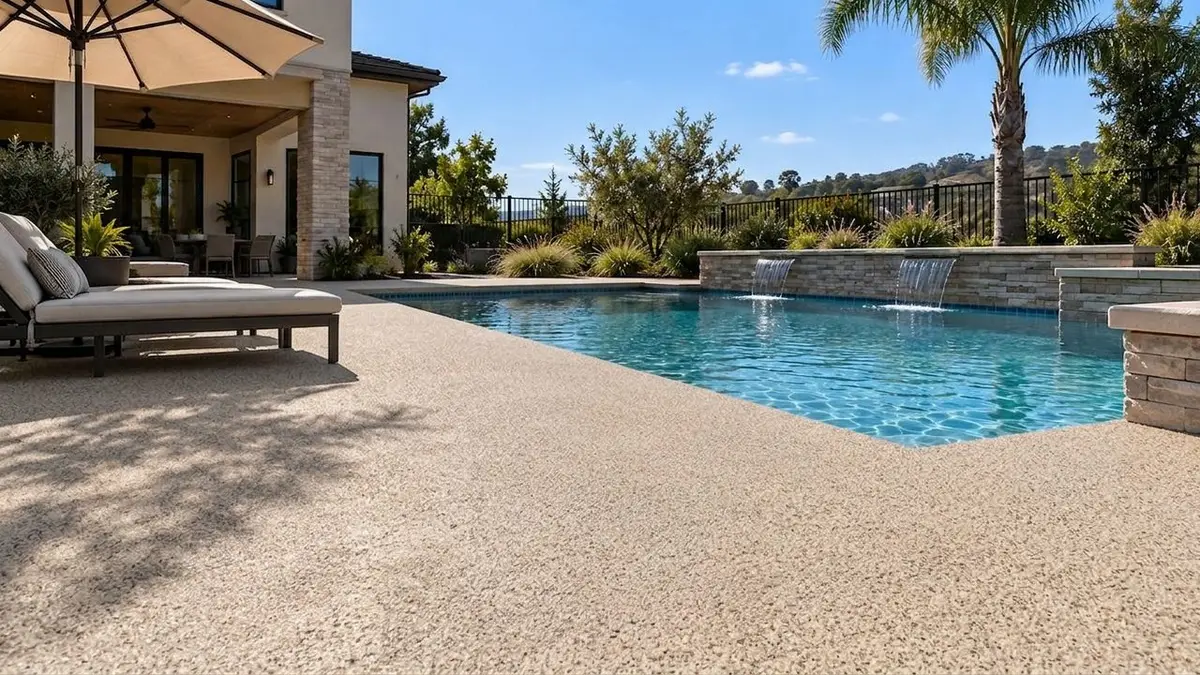
Mojave quartz on the demo pool deck. An AI preview, not a photo of an installed floor. 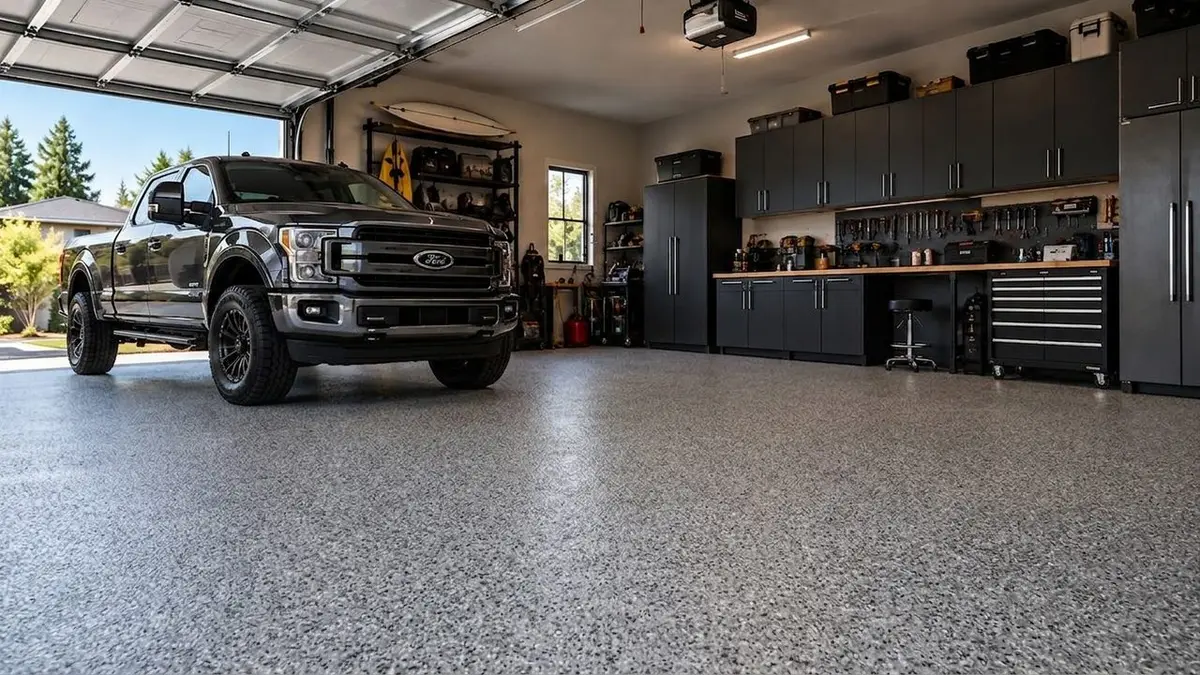
Flint quartz in the demo garage. An AI preview, not a photo of an installed floor.


Solid color
Solid color examples, from Steel Gray to Classic Tile Red
A solid color looks like the easy pick until the homeowner is choosing between three grays from a chip. Across the whole patio, next to their own walls and furniture, the difference is easier to judge, and so is a bold color like Classic Tile Red. See the solid color epoxy visualizer, or browse the default catalog on the epoxy floor colors page.
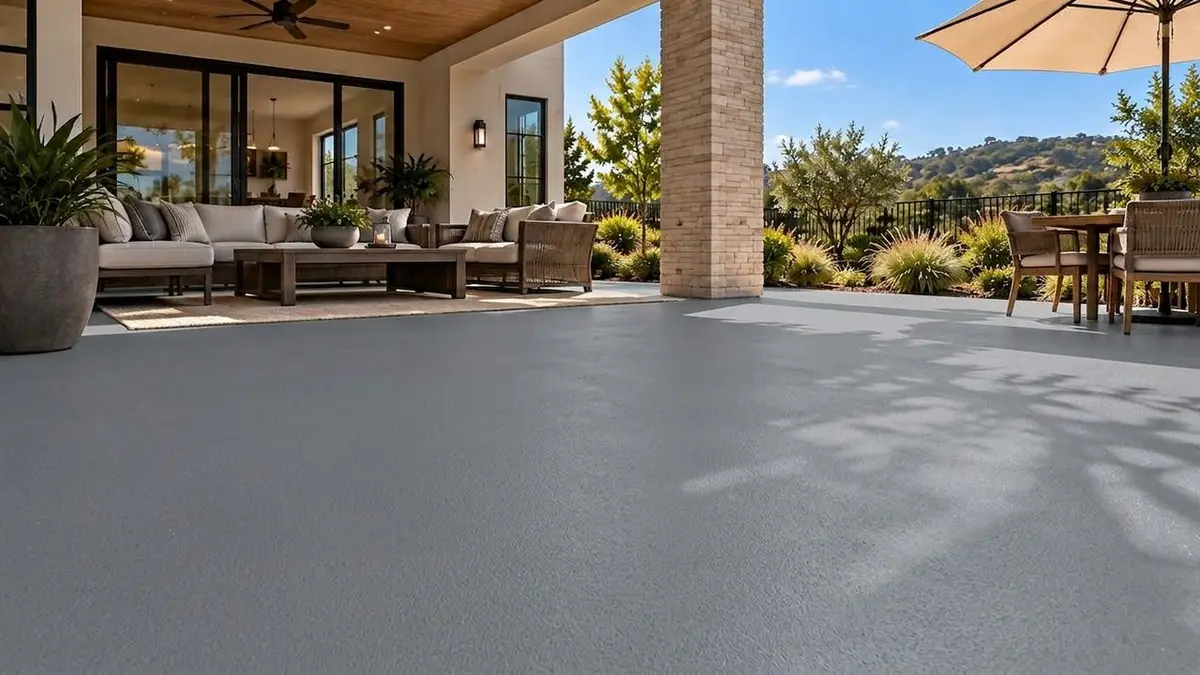
Steel Gray solid color on the demo patio. An AI preview, not a photo of an installed floor. 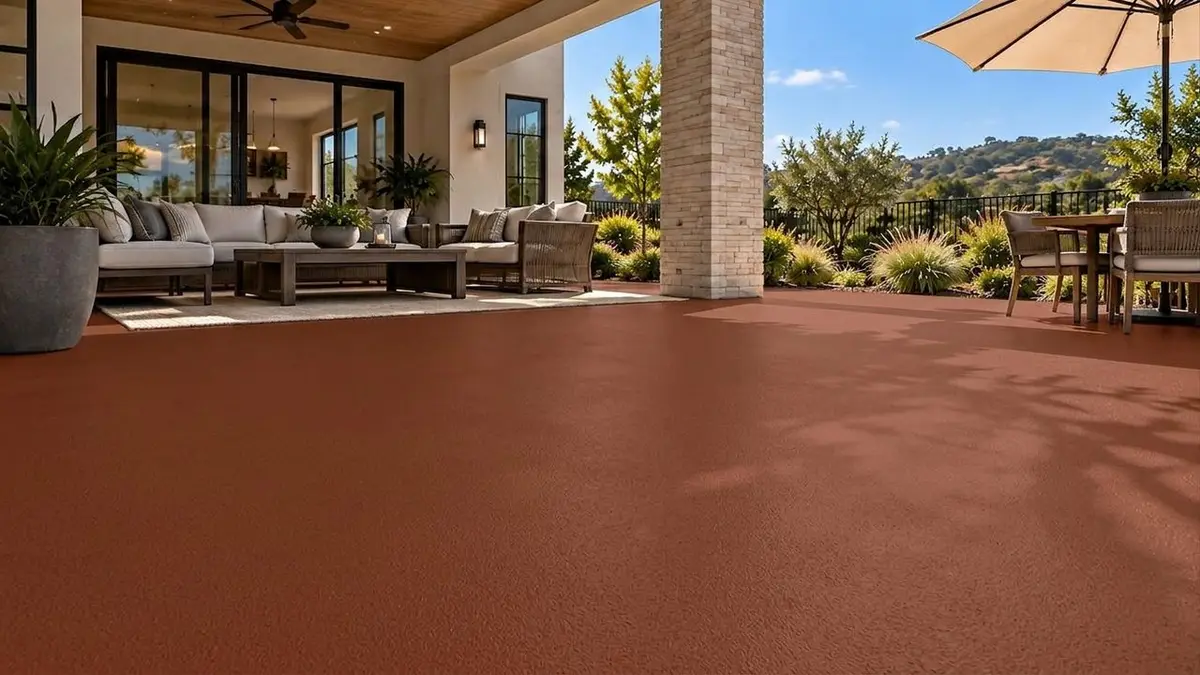
Classic Tile Red solid color on the demo patio. An AI preview, not a photo of an installed floor. 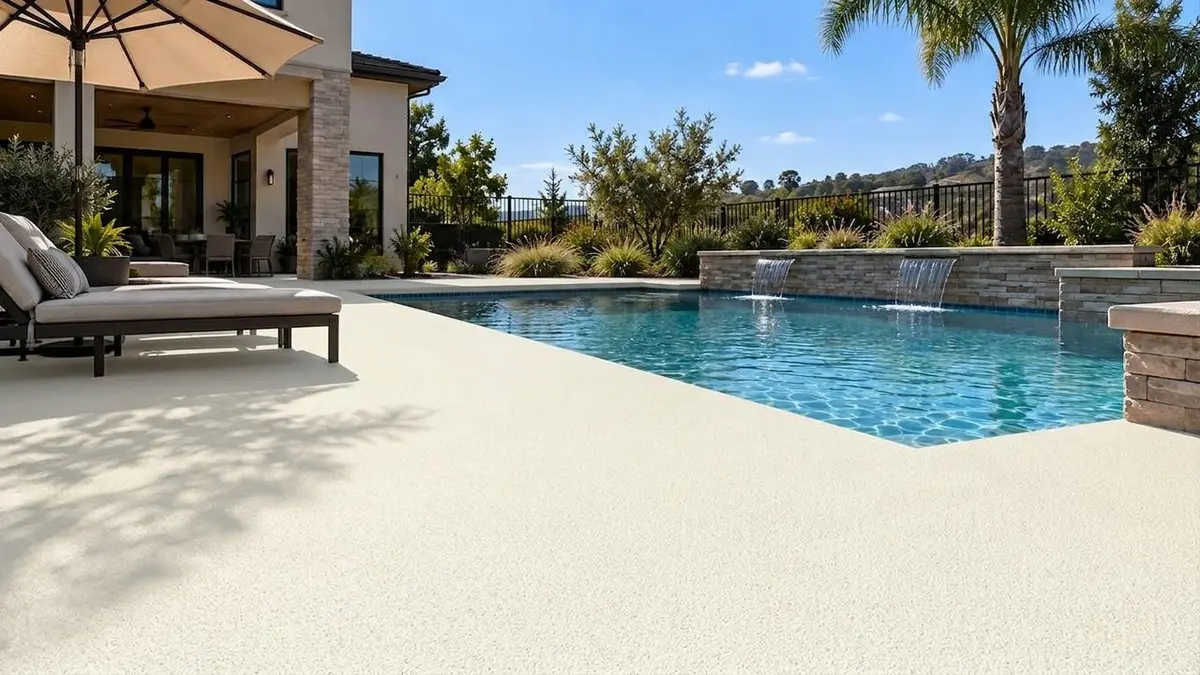
Bone White solid color on the demo pool deck. An AI preview, not a photo of an installed floor.


Straight answer
How these floor coating visualizer examples were made
A demo room, a finish, a preview. Nothing on this page is a photo of an installed floor.
01
A room.
The before images are the demo garage, patio and pool deck built into the widget. On your website, a homeowner can use a phone photo of their own slab instead.
02
A finish from the default catalog.
Every finish here comes from the default catalog, the one a new account shows until its own catalog is set up.
03
An AI preview.
The demo room previews were rendered ahead of time so the widget can show them at once. We checked each one by eye and rendered again any that came out off. A homeowner's own photo is previewed live, in one pass, in about 15 seconds, so expect a little more variation than you see here.
These are the same demo room previews the widget shows a visitor who picks one of these finishes from the default catalog. Once your own catalog is ready, your visitors see your products instead: our team builds it from your color charts, under the names your supplier uses, with no setup fee.
| Finish family | The preview shows | Settle at the estimate |
|---|---|---|
| Flake | The blend color and how it reads with the walls, cabinets and furniture | Chip size and broadcast: default flake previews use one standard chip at full coverage under a glossy topcoat |
| Metallic | The color and the kind of movement and shine | Where the veins land: no two pours match |
| Quartz | The broadcast color and its textured look | Grip, which your system and aggregate size decide, plus slope and drains |
| Solid color | The color across the whole floor | The system and the sheen: epoxy, urethane and polyaspartic look the same in a preview |
| Every family | A clean, finished slab | Prep, cracks, stains and where the coating stops |
Every preview is illustrative. A sample board in hand settles feel and gloss.
Bring the blends they liked to the visit. The visualizer and sample board guide covers how the two work together.
Photo tips
Photo tips for a clean before and after epoxy floor preview
The preview starts from the photo, so a better photo makes a better preview.
- Show the floor, not the ceiling. Stand in a doorway or a corner, hold the phone level at about chest height, and get as much slab in the frame as you can.
- Use even light. Open the garage door, or shoot a patio in open shade. Hard sun and dappled tree shadow stay in the preview and can hide a flake pattern.
- Clear what you can. Cars and furniture can stay, as the examples show. Boxes, hoses and mats sitting on the slab stay too, and every one hides floor.
- Get the edges in. Thresholds, steps and pool coping show where the coating meets the rest of the house.
- Send it straight off the phone. JPG, PNG or HEIC up to 10 MB. No photo yet? Start on the demo garage, patio or pool deck.
Try these demo rooms yourself
Pick the demo garage, patio or pool deck, tap a finish and watch the preview come back. Then try a photo of a real slab.
On your website
Put the same previews on your own website
The visualizer installs with one script tag on WordPress, Squarespace, Webflow or plain HTML, and on Wix through a custom element: see how to add it to your website. Any finished preview can also become a short AI walkthrough video of the homeowner's floor; each clip takes a few minutes to film.
Paying yearly? Starter is $79 a month and Pro $119 a month, billed once a year ($948 and $1,428): 20% off. Ask our team to set it up.
Starter
$99 a month
$79 a month(instead of $99 a month)
The visualizer on your website, with walkthrough video.
Start your 7-day trial of Starter7 days free, then $99 a month.
Ask for Starter yearly$948 billed once a year: you save $240. Our team sets up yearly billing for you.
Or start the 7-day trial, billed monthly- 300 photo credits a month
- 5 walkthrough video clips a month, 3 seconds each
- Your finish catalog, built from your color charts: flake, metallic, quartz and solid color
- On your website with one script tag
- White-labeled: your company name and brand color, no CoatFlow branding in the widget
- Photo top-up packs when a month runs over
Pro
More video, plus follow-up
$149 a month
$119 a month(instead of $149 a month)
More video, longer clips, and follow-up our team runs for you.
Start your 7-day trial of Pro7 days free, then $149 a month.
Ask for Pro yearly$1,428 billed once a year: you save $360. Our team sets up yearly billing for you.
Or start the 7-day trial, billed monthly- 600 photo credits a month
- 35 walkthrough video clips a month, 5 seconds each
- Photo and clip top-up packs
- Lead follow-up by text and email, set up and run for you by our team, that chases every lead to a booked estimate
- Everything else in Starter