
Broadcast quartz
Broadcast quartz floor visualizer for kitchens, locker rooms and pool decks.
A broadcast quartz floor visualizer shows quartz blends on a photo of the real floor: a commercial kitchen, a locker room, a wash bay or a pool deck. The CoatFlow Floor Visualizer returns each preview in about 15 seconds, in the quartz blends you broadcast, so the color is settled before you write the quote.
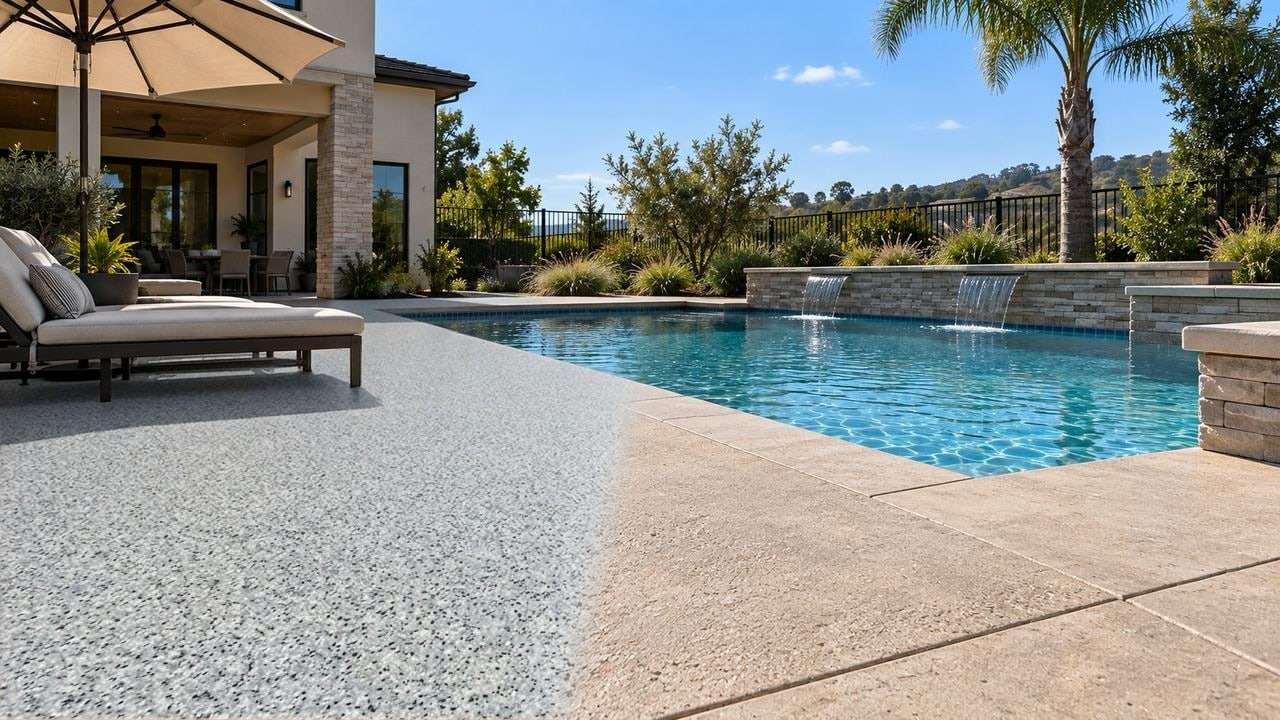
Which broadcast quartz blends can they preview?
These are the quartz blends in the default catalog, from Mojave and Limestone to Slate and Blue Moon. Every one renders today, on both plans.
 Blue Moon
 Brick
 Cobblestone
 Evening
 Flint
 Lemongrass
 Limestone
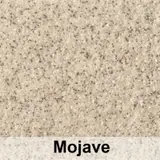 Mojave
 Sandstone
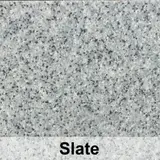 Slate
Your own catalog is built around the blends you broadcast: send us your quartz chart and our team sets it up for you. See the whole default catalog.
Broadcast quartz
Quartz blends look alike on a chart. Not on the real floor.
Mojave or Sandstone?
Two warm quartz blends sit a shade apart on a chart. Across a whole kitchen or deck the difference is plain, and the customer picks with the real room around it.
One picture for the whole team.
The chef, the owner and the facilities manager see the same floor at the same link, so everyone signs off on the same picture.
Grip and color, settled separately.
Quartz is chosen for traction and wear before looks. The preview settles the color, so your site visit can be about slope, drains and the texture profile.
Commercial floors
Broadcast quartz for kitchens, locker rooms and wash bays
The customer is usually a business, so the photo is of a working floor.
01
The customer photographs the space.
A commercial kitchen, a locker room, a wash bay or a pool deck, straight from your website. JPG, PNG or HEIC up to 10 MB, straight off a phone.
02
They pick a quartz blend.
From the blends you broadcast, in the catalog we build from your quartz chart.
03
The preview goes to whoever signs off.
It is back in about 15 seconds, at a link they can forward. Your quote button then opens your own quote or booking page.
See the commercial floor coating visualizerHow the Floor Visualizer works, step by step
Walkthrough video
A walkthrough clip of the quartz floor for whoever signs off
Commercial floors are rarely approved by the person who asked for the quote. Turn the finished preview into a short walkthrough clip of the real space, and the owner or facilities manager gets a moving look at the space, not just a still.
Starter
5 clips a month
3 seconds each.
Pro
10 clips a month
5 seconds each.
Each clip takes a few minutes to film. Every clip is an illustrative AI video made from the preview, not footage of an installed floor.
Inside and out
Pool deck quartz coatings, previewed outside too
Quartz is not only a kitchen floor. Around a pool or across a patio it gives a textured surface in a blend that has to sit beside the water, the coping and the house.
The built-in demo pool deck lets a customer try every quartz blend before they take a photo. Then they photograph their own deck and see the blend on it.
FAQ
Questions about the broadcast quartz floor visualizer
Is a quartz floor visualizer the same as a countertop visualizer?
No. Countertop tools show slabs of engineered stone. This one shows broadcast quartz aggregate on a floor, starting from a photo of the customer's own space.
Does the preview show texture and slip resistance?
It shows the broadcast look: a textured, satin quartz floor. It cannot tell anyone how much grip a floor has. Your system and your aggregate size decide that, so spec it on site.
Can a customer see a quartz coating on their pool deck?
Yes. A demo pool deck is built in, so they can try every blend before they take a photo, then preview it on their own deck in about 15 seconds.
Other finish families
Flake, metallic or solid color instead?
- Epoxy flakeThe epoxy flake floor visualizer: your blends on their garage, patio or pool deck.
- Metallic epoxyThe metallic epoxy floor visualizer: your colors, movement and all, on their own floor.
- Solid colorThe solid color epoxy visualizer: your colors, grays included, in their own light.
Selling one-day garage floors? See the polyaspartic floor visualizer, with flake and solid color on their own garage before install day.
Show them quartz on the real floor.
Try 5 free renders on our live demo: no card, no time limit, a free account after the first render.